








Instructions for Pelican Kaari
On this page, you will find instructions for arriving at the Pelican Kaari location, parking, and starting to use your storage unit. Access is conveniently managed via the Pelican Smart Access app.



1. Arriving at the location
Welcome to Pelican Self Storage Kaari! The address of the location is Kantelettarentie 1 A, Helsinki.
Our customer service is open on weekdays from 10:00 to 18:00 and on Saturdays from 10:00 to 14:00. In our shop, you can purchase moving and packing supplies such as moving boxes, mattress covers, packing tape, etc. You are welcome to come and visit!
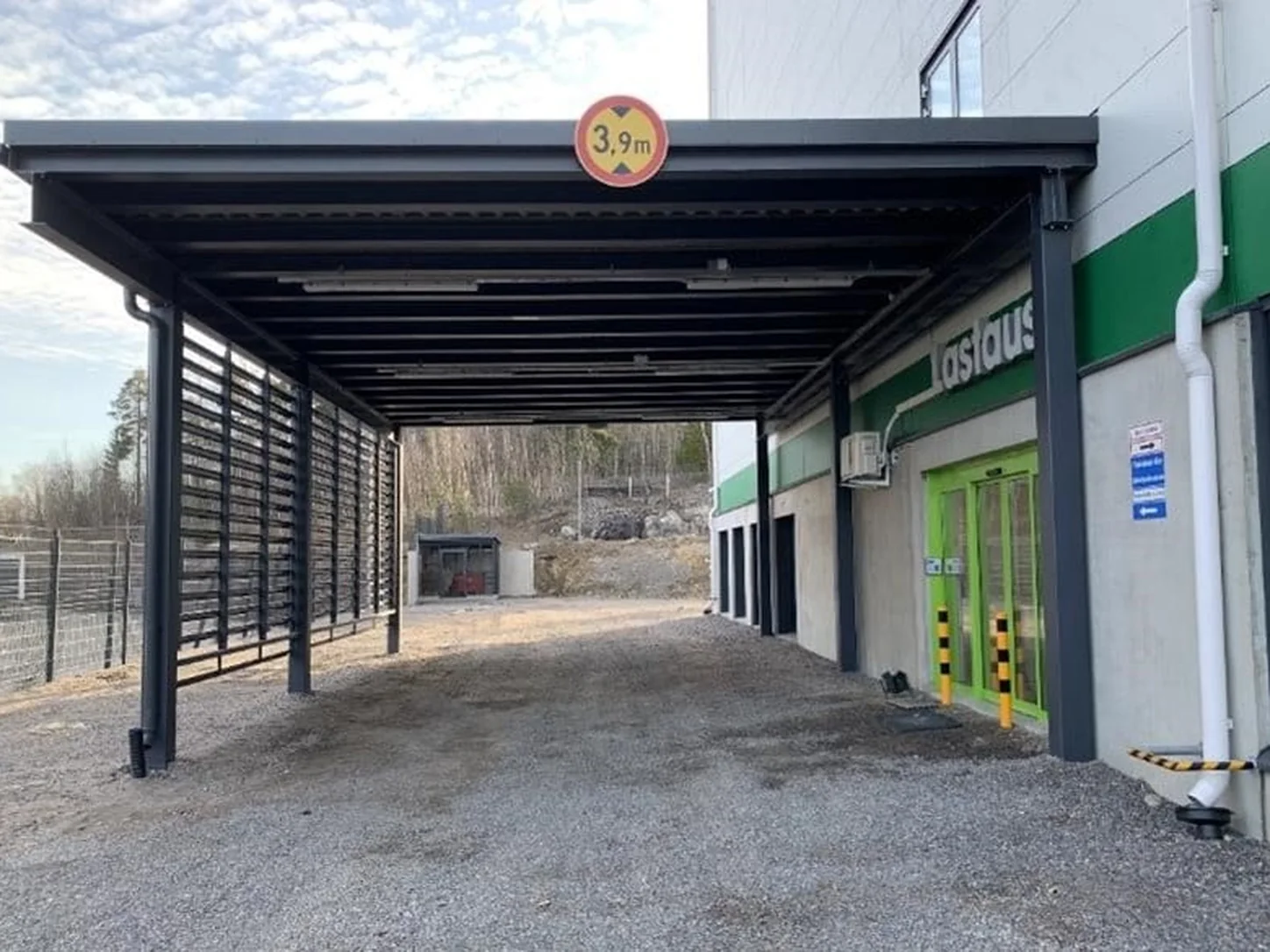
2. Loading area / entrance
You can drive your car / trailer directly into the loading area, where you will be protected from the weather.
Entry to the loading area is through the gates next to the shop.
Exit is through the same gates.
Please note that parking in the loading area is permitted only during loading or unloading.
When you are finished, please move your car to the designated parking spaces in front of the shop, outside the gates.

3. Opening hours and the Pelican Smart Access app
You have access to your storage unit every day of the year from 05:30 to 22:00, starting from the start date of your contract.
To access your storage, you must set up the Pelican Smart Access app. We have sent you a text message to set up the app. The message contains a link to the app itself and a code to activate it. Instructions for using the app can be found here:
https://pelican.fi/app
In case of problems outside opening hours, please call the emergency number 020 491 2761.
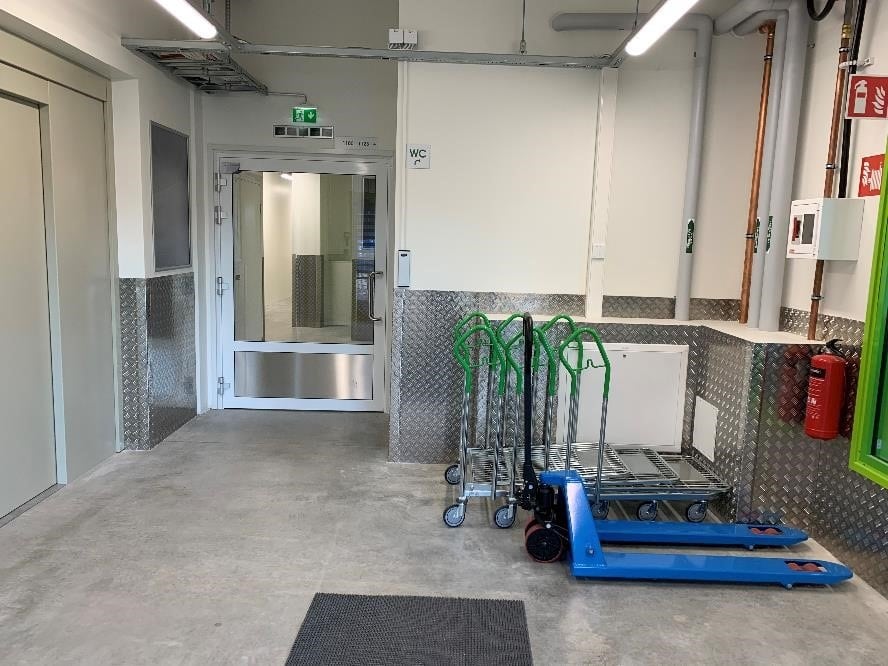
4. Trolleys in the loading area and elevator lobby
In the loading area, you can borrow hand trucks, pallet jacks, and platform trolleys for transporting goods. The trolleys are not locked, and we ask that you return them to their place after use. Trolleys must not be left in your own storage unit or taken away.
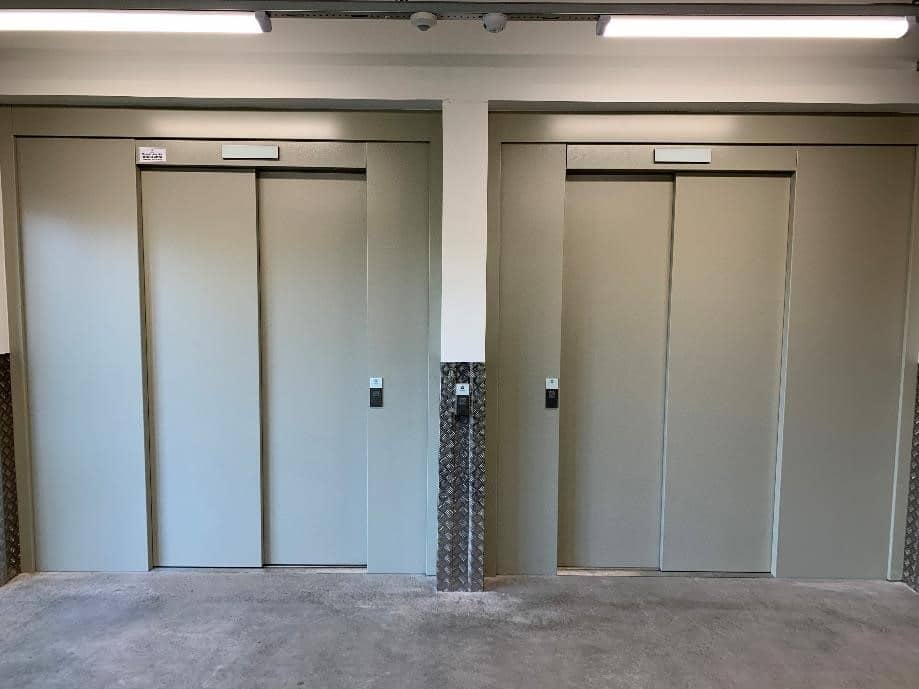
5. How to find your storage unit
The elevators are located in the lobby immediately after the loading area doors. You can activate the elevator with the Pelican Smart Access app.
The first digit of your storage unit number indicates which floor the space you have rented is located on (e.g., 3123 is located on the third floor).
When you arrive at the correct floor, turn left and you will see signs that lead you to your own storage unit.

6. Using the storage unit
Once you have found the space you rented, please double-check that you are indeed moving into the correct unit. The storage unit number is outside the door.
Open the door by pulling the latch open. This unlocks it and the door can be opened.
Inside the storage unit, on the floor, there is a safety-approved cylinder lock and two keys. Note: Pelican does not have spare keys for your lock.
The unit is now ready for use.

7. How to open and lock the storage unit door
Closing the door:
Push the door shut and move the metal latch into place so that the door locks. (For overhead doors, pull the door down and ensure it is fully down so you can put the latch in place.)
Ensure that the cylinder lock tab is aligned with the lock. (See image below: dots on the lock facing each other). Place the lock in the lock housing and turn the key counter-clockwise. Remove the key and the lock should stay in place. Double-check that the door does not open.
Opening the door:
Turn the key to the right and pull the cylinder lock out of its housing. Move the metal latch, and you can now open the door.
Garage units:
Inside the unit, there are two (2) iLOQ keys and illustrated instructions for opening and closing the door. When you first arrive at the unit, the door is unlocked and opens by lifting.

8. How to open the gate from the inside
To exit through the gate, you will again need the Pelican Smart Access app. You can open the gate by swiping the “gate” button to the right.
Information about the Pelican Kaari location
At Pelican Kaari, you will find storage units for all storage needs. Pelican Kaari is located in the Helsinki metropolitan area along Ring I, next to the Kaari shopping center. Set the address to Kantelettarentie 1 A, Helsinki in your map program or navigator. The location is very easily accessible directly from Ring I.
Pelican Kaari has approximately 660 storage units for all kinds of needs for both private individuals and businesses. All storage units are heated, and loads can be unloaded in a covered loading area protected from the weather. A receiving service for incoming shipments is also available for businesses. Furthermore, the storage units are open every day from 05:30 to 22:00, so you can visit your storage when it suits you best.
Easy storage solutions for every need
In the storage units of Pelican Self Storage Kaari, you can store almost anything, whether you are a private or business customer. We offer a wide selection of both large and small storage units so that you can choose the rental storage that fits your specific needs. You can also easily change the size of the unit if necessary.
Renting a storage unit with Pelican is easy and secure. All our storage facilities are monitored 24/7, so you can trust that we take good care of your property, whether you use our storage for clothes, furniture, or even photographs.
We also offer our customers help with moving. You can also find moving boxes with lids and foldable moving boxes, as well as other packing materials. As our customer, you also get discounted moving services and van rentals through our partners; ask our staff for more information!
Why choose Pelican Kaari?
- Excellent location next to the Kaari shopping center and Ring I
- Heated storage units from 1–30 m2 for various needs for both individuals and businesses
- Loading and unloading in a covered area protected from the weather
- High-quality and affordable moving boxes and other packing supplies from our service-oriented shop
- Reliable moving services through partner companies